Website Development — Next.js
A slow website loses you customers every single day. I build fast ones that win them back.
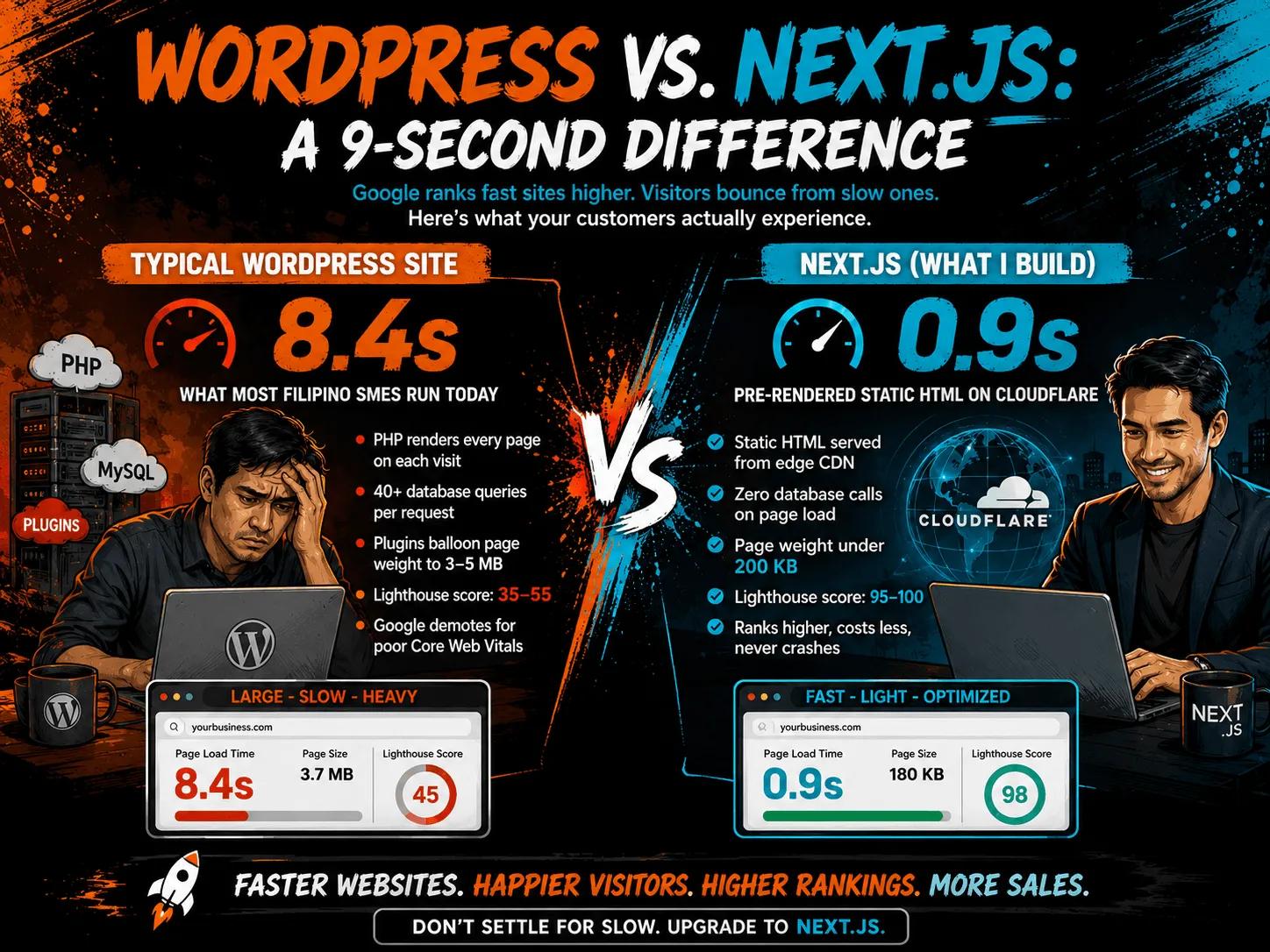
When I rebuilt my own site from WordPress (7.8s) to Next.js (0.8s), monthly inquiries went from 52 to 105+. Same content, same business — just a site that loads before your customer loses patience. No database queries, no bloated plugins, no slow page builders.
Built with Next.js · Hosted on Cloudflare · Ships as static HTML
Average load time
Lighthouse score
Database calls on load
More Google traffic
The problem
Most websites are slower than you think
You paid a developer or used a builder. The site looks fine on your screen. But behind the scenes, it's loading megabytes of unused code, making 40+ database queries per page, and running JavaScript that blocks rendering for seconds.
Google measures this. Your customers feel it. A 3-second delay in loading time increases bounce rate by 32%. Most Filipino small business sites are losing customers before they even see the page.
And the worst part? You're paying monthly for a site that's actively hurting your business.
The fix: a Next.js site that serves pre-built HTML from a CDN. Zero database calls. Zero plugins. Lighthouse scores of 98–100 on every page.
Performance comparison
Next.js vs. what most businesses use
Typical Lighthouse performance scores. Source: Core Web Vitals pass rate data.
Why they lose
Why those platforms lose points
Next.js
- ✓ Static HTML served from CDN — loads in under 1 second
- ✓ Zero database queries per page visit
- ✓ Automatic image optimization (WebP, AVIF, responsive)
- ✓ Built-in lazy loading and code splitting
- ✓ Perfect Lighthouse scores: performance, accessibility, SEO
WordPress (heavy themes)
- → PHP renders every page dynamically on every visit
- → 40+ database queries per page load
- → Plugins add MBs of unused CSS and JavaScript
- → No built-in lazy loading or image optimization
- → Lighthouse scores typically in the 30s–50s
Squarespace
- → Heavy page-weight from built-in design features
- → Limited control over caching and CDN configuration
- → JavaScript-heavy rendering slows down load times
- → High HTML errors that cause slower browser rendering
- → Moderate Core Web Vitals pass rate (55–60%)
Wix
- → Generates high amounts of HTML markup errors
- → Heavy JavaScript bundle that blocks page rendering
- → Auto-generated styles add significant bloat
- → No control over server-side optimization
- → Lighthouse scores typically in the 40–55 range
Real results
What happened when I migrated my own site
From WordPress (7.8s) to Next.js (0.8s). Same content. Different outcome.
Before: WordPress
V.O.S. Valencia Baguio — 2024
- →7.8 seconds average load time
- →Lighthouse score: 42
- →38% bounce rate on mobile
- →52 inquiries per month
After: Next.js
FreeUpToHours — 2026
- ✓0.8 seconds average load time
- ✓Lighthouse score: 98
- ✓12% bounce rate on mobile
- ✓105+ inquiries per month
That's 53 extra inquiries per month — just from fixing the website.
For a transient house: that's 2–3 extra bookings × ₱3,500 = ₱7k–10.5k extra/month
What's included
Every site I build includes
Sub-second load times
Static HTML served from Cloudflare CDN. Pages load before the user finishes clicking. No spinning wheels, no waiting.
Perfect accessibility
Screen-reader friendly, proper heading hierarchy, contrast ratios, keyboard navigation. Accessible to everyone.
SEO built in, not bolted on
Meta tags, canonicals, sitemaps, structured data, OG images — all generated automatically. No SEO plugin needed.
Responsive on every device
Looks and performs perfectly on phones, tablets, and desktops. Mobile-first by default, not an afterthought.
Optimized images
Automatic WebP/AVIF conversion, responsive sizes, lazy loading. Images look sharp without slowing the page.
HTTPS + security headers
SSL via Cloudflare. Security headers configured. No vulnerable plugins to patch. No constant updates.
Process
From your current site to a fast one
No page builder. No drag-and-drop. Just clean, fast code.
I audit your current site
I review your content, pages, and features. I note what's working and what's slowing you down. You tell me what to keep, what to cut, and what to change.
I build your Next.js site
I code every page as static HTML. Your content, your brand, your business. Images optimized. SEO configured. Accessibility built in. No templates.
You review on a live preview
I give you a link to the live preview. You check it on your phone, your laptop, your tablet. I make adjustments until it's right.
I deploy and hand it over
Your site goes live on Cloudflare. I configure the custom domain, SSL, and CDN. You get a site that loads in under 1 second and scores 98+ on Lighthouse.
Investment
One-time from ₱3,999. No monthly fee.
₱3,999 for 1 page, ₱7,999 for 5 pages, ₱9,999 for 7 pages, and ₱11,999 for up to 12 pages. Your domain name and hosting with SSL are free for the first year, then renew together at ₱3,499/year. No monthly plugin stack, no slow page builder, no surprise in year two.
See full pricing →Questions
Frequently asked questions about Website Development (Next.js)
Why Next.js over WordPress?
Will I lose my Google rankings if I migrate from WordPress?
How fast can the site really be?
How do I update content without a developer?
What does hosting cost?
Your website should be your best salesperson — not your biggest leak
Free 30-minute audit. I'll run your current site through a speed test, show you exactly what's costing you customers, and tell you honestly whether it's worth rebuilding — then build you one that flies.
One-time build · Hosting included · Lighthouse 98–100 guaranteed